Field change capture
Crews can text the scope change, photos, labor, materials, and job context while the detail is still fresh.
 ProBlu
Crews text what changed. The office gets priced PDF records ready for review.
Field-to-office
Field teams text what changed while the details are fresh. ProBlu helps the office review scope, labor, materials, attachments, PDF output, and approval activity from one change-order workspace.
Crews can text the scope change, photos, labor, materials, and job context while the detail is still fresh.
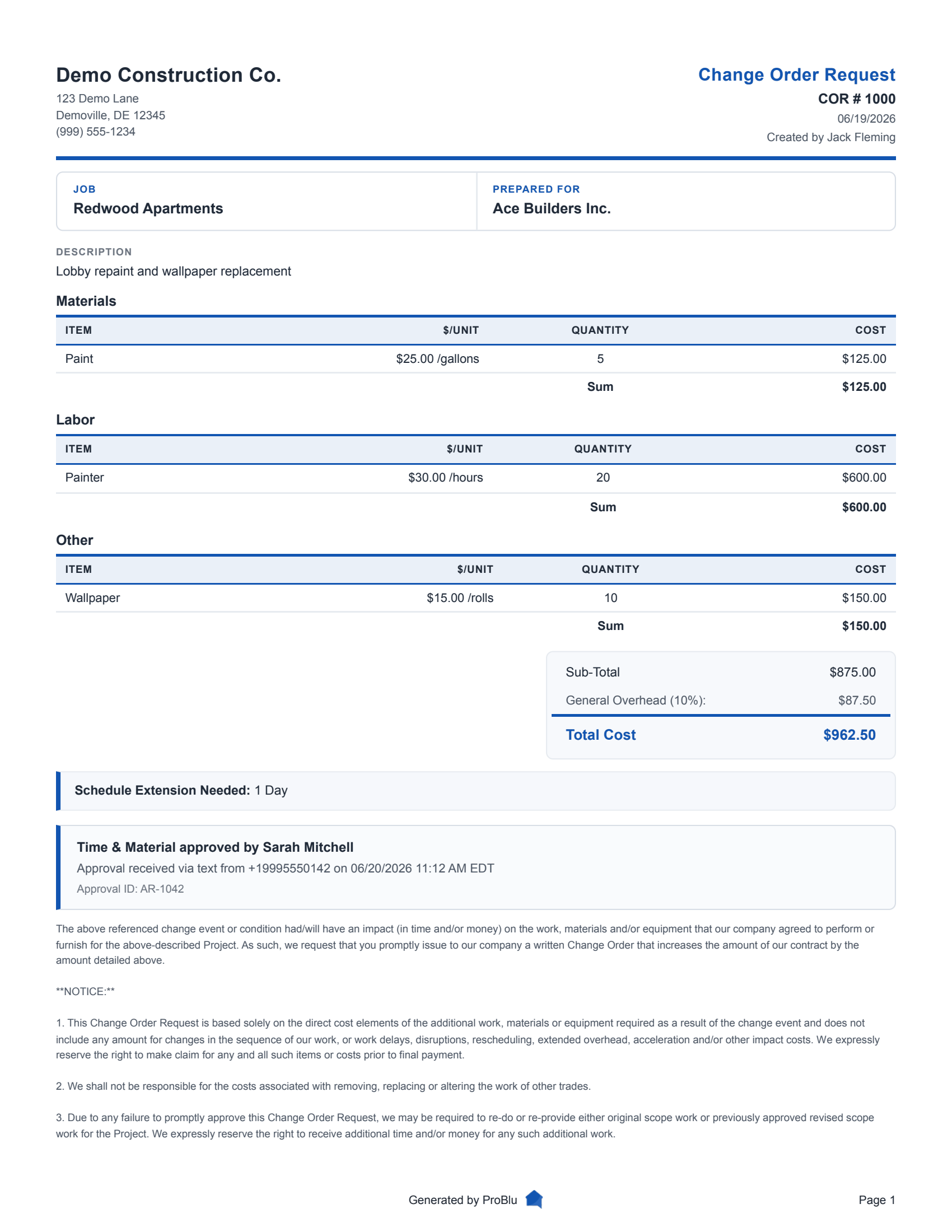
Project teams can review descriptions, labor, materials, equipment, markups, taxes, and schedule extension details before sending.
Change orders can become PDF packets with attachments and approval history for the project file.
Field capture
T&M, design tweaks, or allowances. We capture it all from a simple text.
Text changes. We capture the details.
Assistant confirms hours and impact instantly.
Messages and photos link to the job automatically.
Scope and photos formatted for your template.
Pricing & approvals
Accurate pricing using your rates. Auditable instantly.
Use your labor and material library.
Markups and tax apply automatically.
Approve via text or email reply.
Generate PDF packets with supporting backup.
Sample output
The public sample shows the type of priced change-order document contractors can review, send, and keep with supporting backup.
Operations-ready
Track every dollar from field capture through approval activity.
Track every COR from request to invoice.
Track SMS, email, and manual approval activity.
Every text and edit is saved for compliance.
Change order FAQ
A construction change order is the formal record of added scope, removed scope, cost impact, schedule impact, and approval for work that changes the original agreement.
ProBlu lets field and office teams capture the change, attach backup, review pricing details, generate a PDF, and track approval activity from one workspace.
Yes. The change-order workspace supports labor, materials, equipment, other cost categories, markups, tax, and schedule extension details for review.
Yes. ProBlu supports approval requests through SMS and email, with response activity tied back to the change order.
Daily logs capture the field evidence that often explains why a change happened. Change orders turn that evidence into the priced, approved record.
More on change-order documentation
Practical resources for documenting changed work, connecting daily logs to backup, and keeping approvals moving.
Join our family of growing customers and take your productivity to the next level.
View Pricing