SMS field capture
Crews can send job updates and photos from a text thread instead of opening another field app.
 ProBlu
Crews send simple texts. ProBlu organizes them into searchable logs, PDFs, and dashboards instantly.
Text-first capture
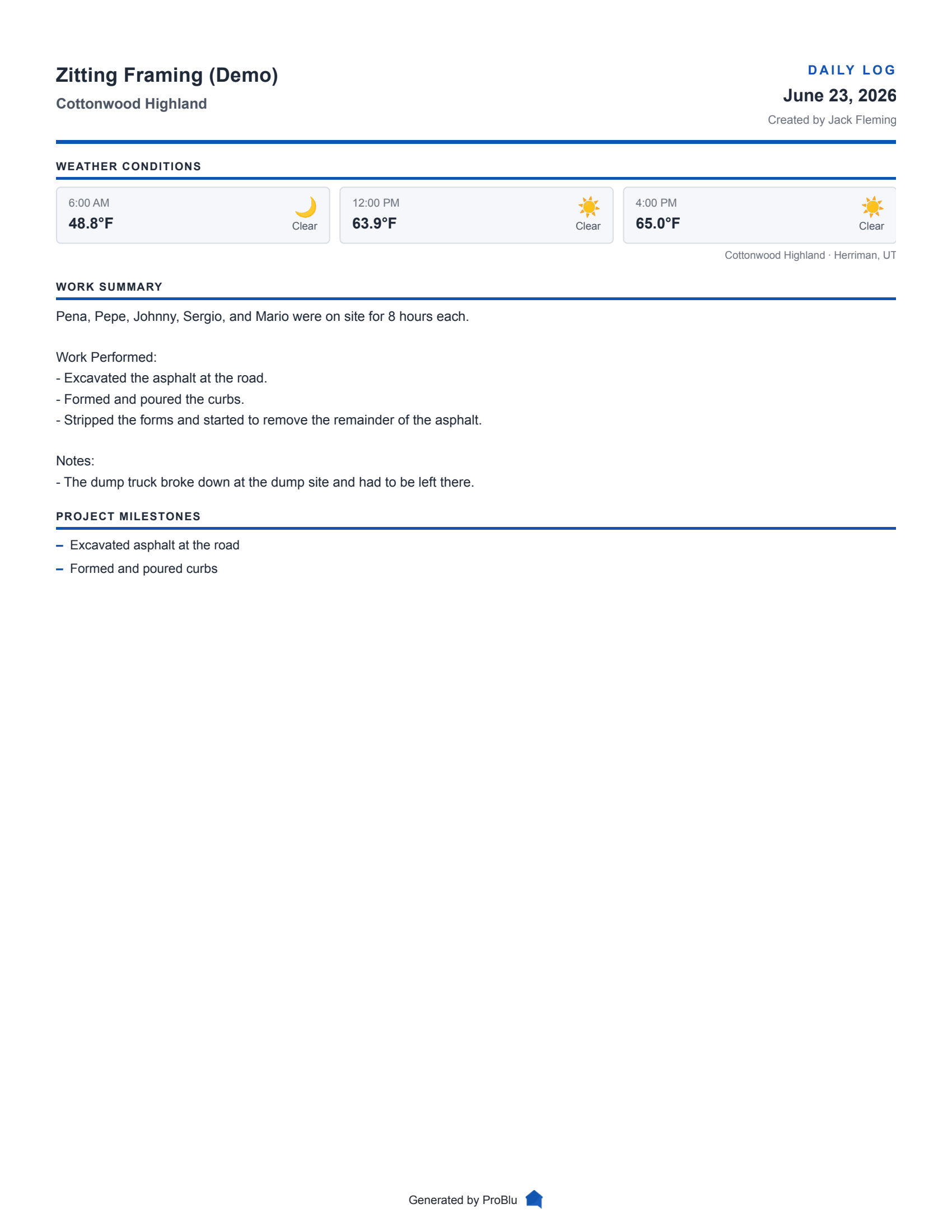
Crews text job updates and photos as work happens. ProBlu turns those field messages into organized daily logs with job context, attachments, weather, PDFs, and shareable records for the office.
Crews can send job updates and photos from a text thread instead of opening another field app.
The office reviews the day by job, date, creator, milestones, work logs, attachments, and weather context.
Reviewed logs can be exported as PDFs or shared through controlled read-only links.
Field-to-office
Captures headcount, hours, materials, and photos without apps. The office gets organized data, not paragraphs.
Finished pouring the building A foundation. 2 crew members, 16 total hours, and backfill staged for morning inspection.
Crew intake
The feed in the web app mirrors how work happens outside—short bursts of info, photos when something changes, and a single number the crew can text when they clock out. No usernames, no kiosk tablet, just results.
Crews text progress and photos. Files are saved instantly.
Updates grouped by job. Timestamps and locations included.
Supervisors edit, tag, and approve before sharing.
Captured for every log
Job address sets weather snapshots automatically.
Texts become milestones and manpower tables.
Photos are archived with each log in high-res.
Read-only links for owners; editing for you.
Operations-ready
Everything you see in the web app is backed by the same FastAPI service that powers the mobile assistant and PDF exports. Your ops team can move faster when data, attachments, and approvals live in one place.
Filter by job or person. Bulk download PDFs.
Send owners a polished PDF or live link.
Track streaks and activity to prove compliance.
Daily log FAQ
A construction daily log is the dated job record for who was on site, what work was completed, what changed, what blocked progress, and what evidence was captured that day.
Crews text job updates and photos to ProBlu. The system organizes those updates into job-linked daily logs that the office can review, edit, export, and share.
No. The core daily log capture workflow is text-first, so field users can submit updates and photos from the phone workflow they already use.
Yes. Daily logs can include photos, files, job context, and weather snapshots when the job has enough location information to capture weather.
Yes. A strong daily log often becomes the first evidence set for extra work, delays, field direction, and change-order backup.
More on daily log workflows
Practical examples, checklists, and related workflows for teams tightening daily reporting standards.
Start saving time and keep everyone informed with organized daily reports.
View Pricing